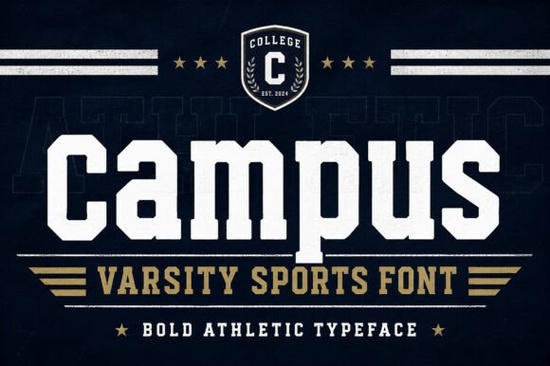
If you're designing for sports teams, school merch, or athletic branding and want a typeface that looks instantly familiar and authentically collegiate you’ll appreciate Campus Font. It’s not just another bold slab serif; it’s built from the visual language of varsity jackets, vintage gym posters, and championship banners. You’ll recognize its clean geometry and confident letterforms right away no guesswork needed.
What kind of projects does Campus Font work best for?
This font shines where strength and clarity matter most: team logos, jersey numbers, school spirit wear, and event posters. Because it includes both uppercase and lowercase letters as well as numbers, punctuation, and multilingual support it handles full sentences (like “Springfield High Varsity 2024”) without needing workarounds. That makes it practical for real-world use, not just headlines.
Designers working on print-on-demand apparel often need fonts that scale cleanly across t-shirt prints, hoodies, and tote bags. Campus Font holds up well at small sizes (think embroidered patches) and reads clearly even when reversed out of dark fabric. Its PUA encoding means special characters and alternates install smoothly on both Mac and Windows no font manager required.
How does it compare to other varsity-style fonts?
Unlike distressed or grunge-inspired options, Campus Font keeps things crisp and intentional. If you’ve used our varsity distressed font, you’ll notice Campus leans more toward clean modern tradition than weathered nostalgia. It pairs naturally with solid-color layouts, minimalist badges, or bold iconography think team emblems, shield motifs, or block-number graphics.
For designers who also like warm, friendly slab serifs, our Loved Font offers a softer contrast, while Jersey Font focuses more tightly on numeric-heavy applications like uniform numbering. Campus sits in the middle: versatile enough for full-word logos (“Raiders,” “Tigers,” “Academy”) but still unmistakably athletic.
Where do people actually use this font?
- School merchandise: Hoodies, spirit week posters, yearbook covers, and booster club banners
- Sports marketing: Game-day social graphics, YouTube thumbnails, tournament flyers, and digital ads
- Small business branding: Local gyms, youth leagues, fitness studios, and after-school programs wanting a trustworthy, energetic look
- Crafters & POD sellers: Printable wall art, vinyl cut files, iron-on transfers, and SVG bundles for Etsy or Creative Market
One thing users consistently mention is how easy it is to layer Campus Font with simple shapes like circles, shields, or horizontal bars to build custom badges or monograms. Since the letters have consistent stroke weight and spacing, alignment stays predictable, even when scaling across formats.
Is it beginner-friendly?
Yes. You don’t need advanced typography knowledge to get good results. The uppercase letters are especially strong for logos and initials, and the lowercase set adds flexibility for longer text blocks like quotes on motivational posters or team mottos. It works well in Canva, Adobe Illustrator, Procreate (with compatible apps), and Cricut Design Space.
If you’re comparing fonts before purchasing, check whether the version you’re looking at includes full character sets. Some free “varsity” fonts skip punctuation or lack lowercase support Campus Font includes them all. And because it’s Campus Font, you know it’s been tested across real design workflows not just mockups.
How to get started quickly
Download the file, unzip it, and install the .OTF or .TTF directly into your system fonts folder. Then open your design app and select “Campus” from the font menu. Try pairing it with a neutral sans serif (like Montserrat or Inter) for body text this contrast keeps things readable without competing visually.
Need inspiration? Browse recent projects tagged Campus Font on Creative Fabrica to see how others use it for t-shirt designs, digital stickers, or printable party kits. You’ll notice many combine it with subtle textures like linen overlays or matte finishes to add depth without clutter.
Before you finalize your next athletic design:
- Test the font at actual print size not just on screen
- Check spacing between letters (kerning) in your final layout, especially for short words like “TEAM” or “GO”
- Verify multilingual characters render correctly if you’re designing for bilingual school communities
- Save a copy of your layered file with fonts outlined (in Illustrator) or flattened (in Canva) before sending to print
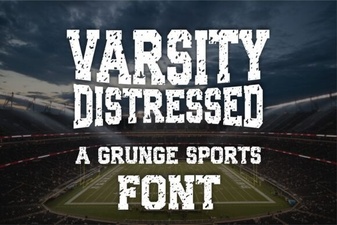 Varsity Font: Creative Design Projects & Ideas
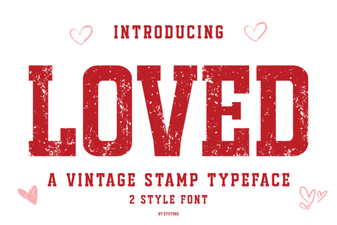 Unlock Creative Projects with Loved Font
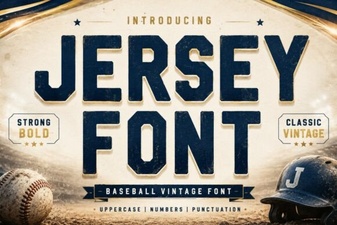 Discover Sports Jersey Font Design Styles
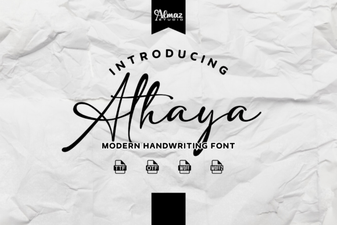 Explore Modern Typography with Athaya Font
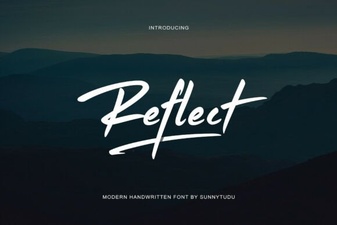 Reflect Handwritten Font: Creative Design Projects & Ideas
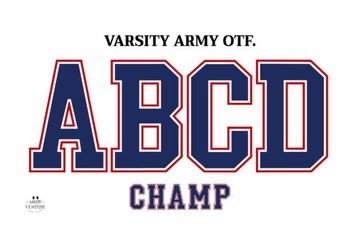 Varsity Fonts: Designing Bold Sports Graphics