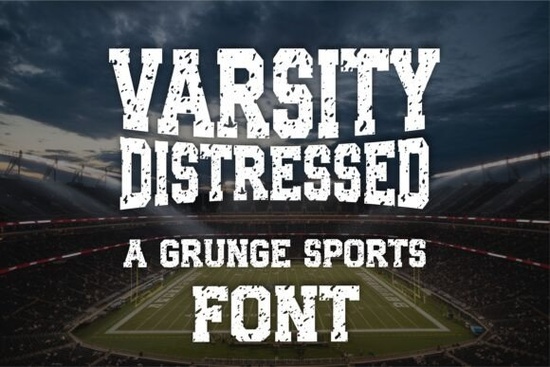
If you're looking for a bold, authentic sports font that works well on t-shirts, jerseys, and team banners without needing design experience the Varsity Distressed Font is a solid choice. It’s a slab serif typeface with intentional texture and grit, designed to look like it’s been worn in on the field or pulled from a vintage gym locker. Unlike overly polished digital fonts, this one carries weight and character ideal if your project needs to feel grounded, energetic, and unmistakably athletic.
What makes Varsity Distressed different from other sports fonts?
Most “varsity”-style fonts lean heavily into clean, blocky outlines but Varsity Distressed adds subtle grunge texture and uneven edges that mimic real screen-printed or heat-pressed lettering. That means it avoids looking generic or digitally sterile, especially at larger sizes. It’s also built with practical use in mind: each character has generous spacing and clear legibility, even when resized for small tags or embroidered patches.
Compared to more minimalist slab serifs like those in our campus-style collection, this one leans harder into ruggedness not just collegiate charm. And while fonts like the Loved Font offer warmth and friendliness, Varsity Distressed delivers presence and attitude. It sits comfortably alongside other high-impact options like jersey fonts, but stands out because of its layered texture and confident rhythm.
Where does it work best in real projects?
This font shines where authenticity matters like DIY team apparel, local league merch, or small-batch gym wear. Because it’s optimized for Cricut, Silhouette, Canva, Procreate, and sublimation workflows, you won’t hit roadblocks importing or scaling it. Crafters report success cutting it cleanly on vinyl, while print-on-demand sellers find it holds up well on both light and dark fabrics.
Real-world uses include:
- Custom football or baseball jersey numbers and names
- Workout shirts with short motivational phrases (“GRIND”, “NO EXCUSES”, “TEAM FIRST”)
- Banners and posters for school spirit weeks or rec center events
- Embroidery-ready lettering (when used at appropriate point sizes)
- Digital social graphics for local teams or fitness challenges
It’s not meant for long paragraphs or fine print stick to headlines, logos, and short impactful lines. That’s where its bold weight and textured contrast really come through.
How to pair it without overcomplicating things
You don’t need a full font system to make this work. In most cases, pairing Varsity Distressed Font with a simple sans serif like Montserrat, Open Sans, or even the system font on Canva keeps things readable and balanced. For example: use Varsity Distressed for the team name, and a clean sans for the slogan underneath.
If you’re building a broader brand identity, consider pulling from related slab serif families. The Campus Font shares structural DNA but offers a smoother finish great for secondary text or sub-brands. Or try the Loved Font for friendly variations (think “Spirit Night” flyers vs. “Championship Game” posters).
Things to keep in mind before downloading
Because of its distressed edges, very small sizes (<12 pt on screen or under 0.5” tall in physical cut files) may lose clarity. Always test a sample cut or print first especially if you’re using it for embroidery or detailed vinyl work. Also, while it supports standard Latin characters and common punctuation, double-check the glyph set if you need extended language support (e.g., accented characters for bilingual team names).
It’s a single-style font (no italic or bold variants), so rely on size, color, or layout not weight shifts to create visual hierarchy.
Next step: Try it in context
Before committing to a full design, open your preferred tool (Cricut Design Space, Silhouette Studio, or Canva) and drop in a short phrase like “HOME TEAM” or “FRESHMAN SQUAD”. Adjust tracking slightly (+10 to +20) to let the texture breathe. Then compare side-by-side with a plain slab serif: notice how the subtle noise adds depth without sacrificing readability.
Quick checklist before your first project:
- ✅ Test at your intended final size (on screen and in physical output)
- ✅ Pair with a neutral sans serif for supporting text
- ✅ Avoid tight letter spacing let the texture show
- ✅ Use bold color contrast (e.g., white on navy, black on cream) to highlight the grain
- ✅ Save a backup version with simplified outlines if needed for embroidery digitizing
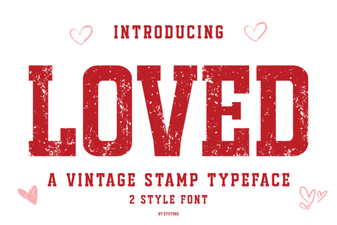 Unlock Creative Projects with Loved Font
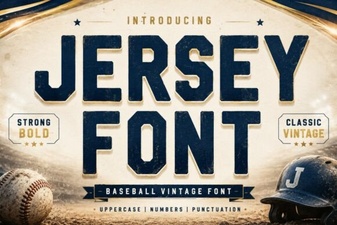 Discover Sports Jersey Font Design Styles
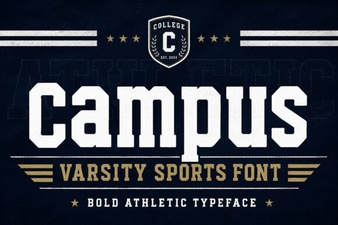 Choosing the Right Campus Font: Design and Function
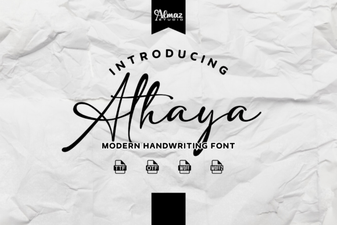 Explore Modern Typography with Athaya Font
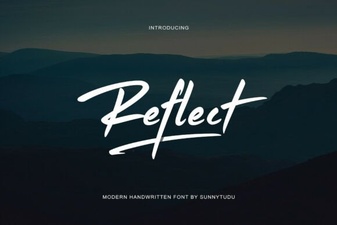 Reflect Handwritten Font: Creative Design Projects & Ideas
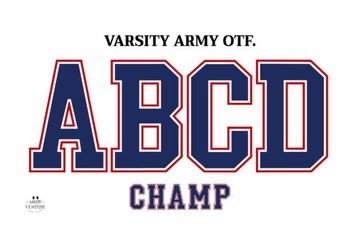 Varsity Fonts: Designing Bold Sports Graphics