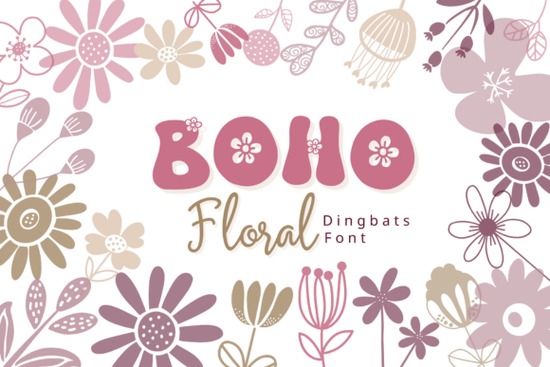
If you're looking for a quick, flexible way to add hand-drawn floral charm to your designs without opening vector software or hunting for individual clipart you’ll like the Boho Floral Font. It’s not a traditional alphabet font. Instead, it’s a dingbat font where each letter (A–Z, a–z) and number (0–9) triggers a unique, boho-style floral illustration: daisies, buds, leaves, stems, and wildflower sprigs all drawn with soft linework and earthy simplicity. Type “A” and get a delicate peony; type “7” and insert a looping vine. No copy-pasting, no layers just type and go.
How does it actually work in design software?
You install it like any other font on your computer (OTF or TTF), then select it in apps like Adobe Illustrator, Canva, Procreate (with font support), Cricut Design Space, or even Microsoft Word. Once active, every keystroke delivers a ready-made botanical element. That means you can build borders by typing “aaaaaaaaaa”, scatter accents across a planner page with random letters, or spell out a word like “LOVE” and get four coordinated florals instead of letters. Because it’s font-based, scaling stays crisp at any size and color changes happen instantly via fill tools, no manual recoloring needed.
What kinds of projects is it best for?
This isn’t just for pretty pictures. Designers and small business owners use it for real, repeatable tasks:
- Wedding stationery: Frame invites or place cards with custom floral borders made in seconds.
- Print-on-demand products: Add subtle botanical accents to mugs, tote bags, or greeting cards no licensing worries, since you’re using your own licensed font.
- Digital planners & stickers: Drop in consistent, cohesive icons for habit trackers, mood logs, or weekly headers.
- Branding kits: Use repeated glyphs to create patterned backgrounds for social media banners or email headers.
- Craft templates: Embroidery guides, scrapbook kits, and SVG bundles often need scalable, stylistically matched elements this delivers that without extra file management.
It’s especially helpful if you’ve ever spent too long aligning mismatched clipart, or struggled to find floral graphics that share the same line weight and mood. Since all glyphs were drawn as a set with intentional spacing, rhythm, and visual balance they look intentional together, not assembled.
Does it work well with other fonts and design styles?
Yes especially alongside clean sans-serifs (like Montserrat or Poppins) or relaxed script fonts. The softness of the Boho Floral Font offsets sharper typography nicely, making it easy to create contrast without clutter. You’ll also find it pairs naturally with other dingbats fonts in the same collection if you want layered textures say, using one for main motifs and another for tiny filler dots or vines.
It’s not limited to “boho” projects either. Try using just the leaf glyphs in muted tones for a modern apothecary label, or scale down the smallest blossoms to use as bullet points in a minimalist newsletter. Its versatility comes from restraint: minimal detail, open shapes, and generous negative space mean it doesn’t overwhelm layouts.
Who finds it most useful?
Small business owners building their first brand kit often tell us this font saves hours especially when they need consistent visuals across Etsy listings, Instagram posts, and packaging. Print-on-demand sellers appreciate that it’s lightweight (no huge PNG files to upload), and crafters love how easily it adapts to physical projects: cut with a Cricut, trace onto watercolor paper, or print directly onto sticker sheets. Even educators and journaling hobbyists use it to liven up lesson plans or bullet journal spreads without needing design experience.
One thing to keep in mind: because it’s a dingbat font, it won’t display readable text if copied into plain email or social bios it’s meant for visual design environments only. But that’s exactly what makes it so focused and reliable for its purpose.
If you already own other floral-themed resources like SVG bundles or brush sets this font complements them well. You can use the font for layout structure and speed, then drop in detailed illustrations only where emphasis is needed. It’s about working smarter, not adding more files to manage.
Before downloading: Check that your main design tools support custom fonts (most do), and remember you’ll get both uppercase and lowercase mappings, plus numbers, so you have 62 distinct floral options right away. No extra downloads or subscriptions.
Quick start checklist:
- Download and install the font files (.otf or .ttf) on your computer.
- Open your design app and select “Boho Floral Dingbats” from the font menu.
- Type any letter or number to preview glyphs try “F L O W E R” to see a mini bouquet.
- Adjust size, color, and spacing using standard text tools.
- Export or cut as usual no extra steps needed.
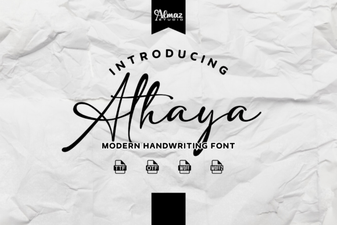 Explore Modern Typography with Athaya Font
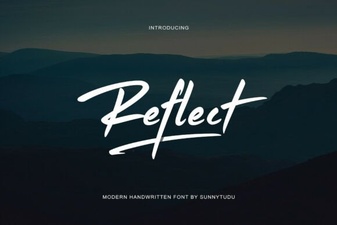 Reflect Handwritten Font: Creative Design Projects & Ideas
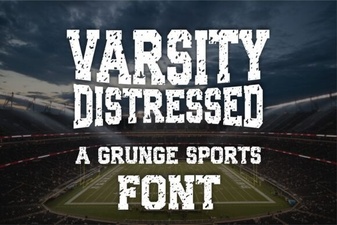 Varsity Font: Creative Design Projects & Ideas
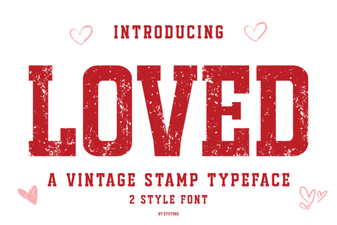 Unlock Creative Projects with Loved Font
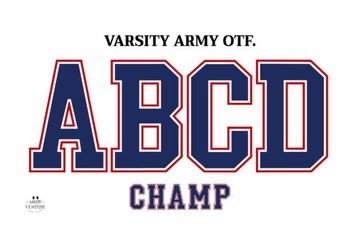 Varsity Fonts: Designing Bold Sports Graphics
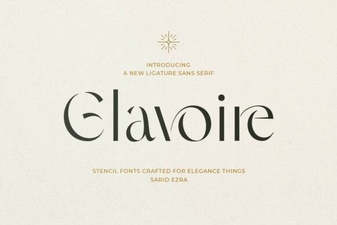 Introducing the Glavoire Creative Typeface