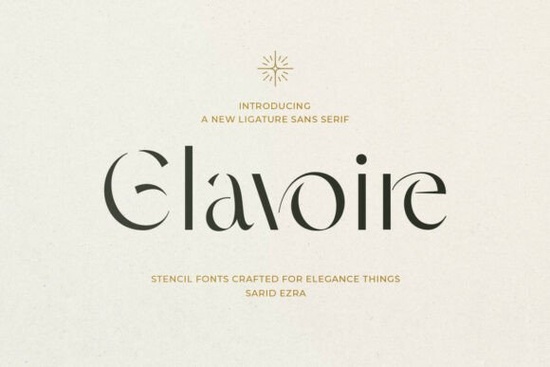
If you're looking for a clean, elegant sans serif that works well for luxury branding or boutique packaging without feeling stiff or overly minimal Glavoire Font is worth your attention. It’s not just another modern typeface. Its ligatures flow naturally, its letterforms breathe with intentional negative space, and the subtle stencil-inspired cuts add quiet distinction not gimmickry. Designers working on perfume labels, artisanal product tags, or editorial spreads often tell us they reach for Glavoire when they need something refined but still legible at small sizes.
What makes Glavoire different from other ligature sans serifs?
Most ligature fonts lean heavily into decorative flair sometimes at the cost of readability or versatility. Glavoire avoids that trap. It balances rhythm and restraint: the connected letters (like “fi”, “fl”, “ct”, and custom pairs) feel organic, not forced. You’ll notice how the lowercase “a” and “g” have gentle open counters, and how the uppercase “S” and “C” curve with quiet confidence. These aren’t just stylistic flourishes they’re functional choices that help text hold visual weight in headlines, signage, or social media banners.
Unlike many high-fashion fonts that sacrifice usability for aesthetics, Glavoire includes full Latin character support, standard and discretionary ligatures, and OpenType features that work smoothly in Adobe apps, Affinity Designer, and even Cricut Design Space (with manual activation). That means you can use it for both digital mockups and physical prints no surprises when scaling down for a candle label or up for a storefront sign.
Where does Glavoire fit in your design toolkit?
Think of Glavoire as your go-to for projects where tone matters as much as typography. It’s especially effective when paired with soft photography, muted palettes, or tactile materials like linen, kraft paper, or matte-finish vinyl. Small businesses launching a new skincare line, crafters designing printable gift tags, or print-on-demand sellers building premium Shopify collections all report strong engagement when using Glavoire in hero banners or logo lockups.
It also plays well with other thoughtful sans serifs. For example, if you’re layering body text with a headline font, Mochacino offers warm neutrality, while Brooklyn gives grounded contrast without competing. And if you’re adding subtle sparkle to a design say, for a wedding invitation suite or boutique stationery you might pair Glavoire with the delicate sparkle of the RS04 Modern DIY Rhinestone template font for controlled, scalable embellishment.
How does it compare to similar fonts on Creative Fabrica?
Compared to Glavoire Font, many ligature-heavy options either overcommit to ornamentation or lack consistent spacing. Mochacino feels more approachable and friendly; Brooklyn reads bolder and more architectural. Glavoire sits in a quieter, more intentional lane ideal when your brand voice leans toward calm confidence rather than playful energy or rugged simplicity.
It’s also more versatile than stencil-only fonts. Because the cutouts are integrated thoughtfully not applied as surface texture it scales cleanly across formats. You won’t get jagged edges on a 12-pt business card or blurry ligatures in a PNG export. That predictability saves time during client revisions or production handoffs.
Real-world uses that work well
- Perfume or cosmetics packaging: The ligatures soften sharp product names while keeping them legible on curved bottles or narrow boxes.
- Boutique signage: Works at large scale on acrylic or wood signs especially when printed with light ink on dark backgrounds.
- Editorial layouts: Standalone pull quotes or section headers in lifestyle magazines or indie zines benefit from its rhythmic spacing.
- Digital assets: Social media highlight covers, Pinterest pins, or Canva templates where elegance signals quality without saying a word.
One note: Glavoire shines brightest in display settings not long paragraphs. Use it for headlines, logos, short phrases, or accent text. For body copy, pair it with a neutral, highly readable sans like Inter, Lato, or even Brooklyn (which shares its structural clarity but with less flourish).
Before you download
Check that your software supports OpenType ligatures (most modern design tools do but some free editors may not activate them by default). In Adobe apps, enable them via the Character panel > OpenType > Ligatures. On Cricut Design Space, you’ll need to install the font first, then use “Text” > “Font” dropdown and select Glavoire ligatures appear automatically in supported character pairs.
Quick checklist before using Glavoire:
- ✅ Confirm your project calls for elegance not urgency or playfulness
- ✅ Reserve it for headlines, logos, or short impactful text (not body copy)
- ✅ Test ligatures in your target size and medium (print vs. screen)
- ✅ Pair it with a neutral secondary font for balance
- ✅ Review licensing Creative Fabrica’s standard license covers commercial use, including POD and client work
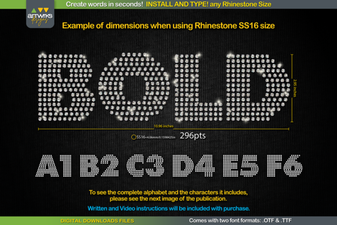 Rhinestone Font Templates for Modern Diy Projects
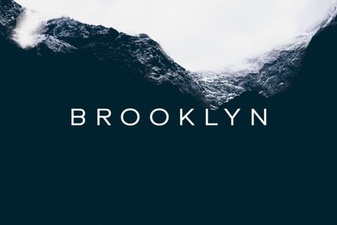 Brooklyn Font: Design Projects & Creative Applications
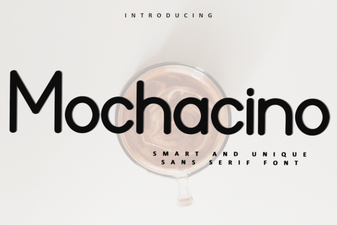 Mochacino Font: Design & Creative Uses
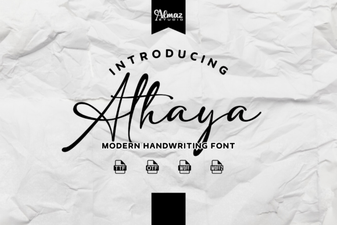 Explore Modern Typography with Athaya Font
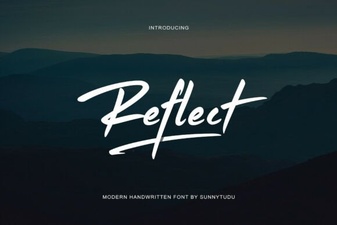 Reflect Handwritten Font: Creative Design Projects & Ideas
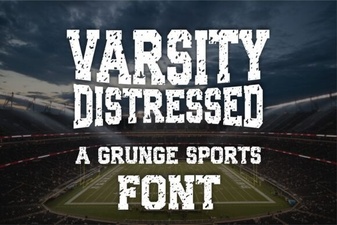 Varsity Font: Creative Design Projects & Ideas