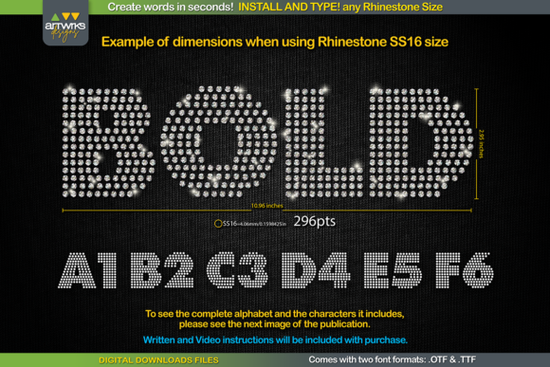
If you're looking for a quick, reliable way to create rhinestone-ready text for T-shirts, tumblers, or heat transfer vinyl projects, the RS04 Modern DIY RHINESTONE TTF Template Font is built for exactly that. It’s not a design file you trace or layer manually it’s a real font you install and type with, where every letter already contains precisely spaced, size-matched rhinestone placements. No guesswork, no manual arranging: just type, resize, and cut.
How does this rhinestone font actually work?
This isn’t a decorative font that looks like rhinestones it’s a functional template font designed for craft cutting machines. When you type “LOVE” in RS04, each character appears as a cluster of circles (or ovals, depending on stone shape), spaced to match standard hot-fix rhinestone sizes like SS6, SS10, SS16, or SS20. The spacing is pre-calculated so stones sit evenly without overlapping or gaps critical when applying with a heat press or pick-up tool.
The font comes in both .TTF and .OTF formats, so it works across platforms: Windows, macOS, iPadOS, and even iPhone (via compatible apps). It’s tested in Cricut Design Space, Silhouette Studio, Adobe Illustrator, Inkscape, and Canva though keep in mind that Cricut sometimes adjusts scaling automatically, which is why the included sizing guide matters (more on that below).
Which rhinestone sizes does it support?
RS04 includes recommended point sizes for four common hot-fix stone diameters:
- SS6 (2.3mm): Use at 189 pt
- SS10 (2.8mm): Use at 241 pt
- SS16 (4.0mm): Use at 295 pt
- SS20 (4.8mm): Use at 388 pt
These aren’t arbitrary numbers they’re based on actual stone footprint and spacing requirements. If you go smaller than recommended, stones may crowd; larger, and gaps widen. Stick to these sizes for clean, consistent results.
What can you make with it?
Because each letter is fully “trapped” meaning outlines are optimized for weeding and heat application RS04 works especially well for:
- Custom rhinestone T-shirts and hoodies
- HTV-based bling designs (no need for separate rhinestone stencils)
- Personalized tote bags, hats, and dancewear
- Digital mockups for print-on-demand stores (use at high-res for realistic previews)
- Combining with other fonts like Mochacino or Glavoire for layered text effects
It’s also a practical alternative to time-consuming vector tracing especially helpful if you’re managing multiple client orders or running a small craft business.
Installation and troubleshooting tips
Most users get up and running in under two minutes, but here’s what helps avoid common hiccups:
- Always close your design software before installing the font otherwise, it won’t appear in the font menu.
- Right-click the .TTF file → “Install for all users” (Windows) or double-click → “Install Font” (macOS).
- In Cricut Design Space, if your letters look too tight or loose after typing, don’t adjust letter spacing instead, change the font size using the point values above.
- For Silhouette Studio, make sure “Send to Silhouette” is selected after resizing not before.
You’ll also find that RS04 pairs well with clean, modern sans-serifs like Brooklyn for contrast layouts, or RS04 itself used alongside outline versions for shadow or border effects.
For more context on how rhinestone fonts fit into broader design workflows, check out the RS04 Modern DIY RHINESTONE TTF Template Font page on Creative Fabrica, where you’ll see real project examples and user notes.
Before you cut: A quick checklist
- ✅ Installed the font system-wide (not just in one app)
- ✅ Typed your word and selected RS04 from the font menu
- ✅ Set font size to match your stone size (e.g., 241 pt for SS10)
- ✅ Ungrouped (if needed) and checked for stray anchor points in vector editors
- ✅ Tested a single letter first on scrap material
Once those steps are done, you’re ready to cut, weed, and apply no extra plugins, scripts, or tutorials required.
Learn More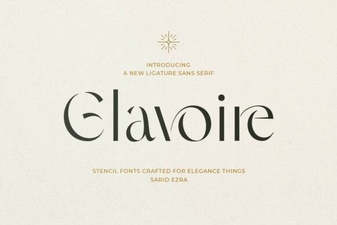 Introducing the Glavoire Creative Typeface
 Brooklyn Font: Design Projects & Creative Applications
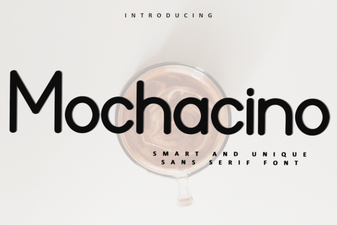 Mochacino Font: Design & Creative Uses
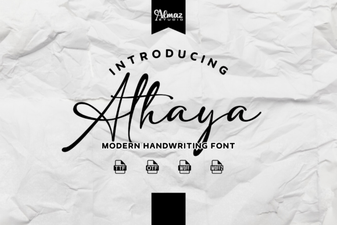 Explore Modern Typography with Athaya Font
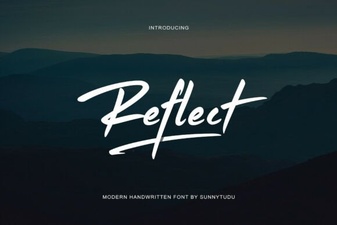 Reflect Handwritten Font: Creative Design Projects & Ideas
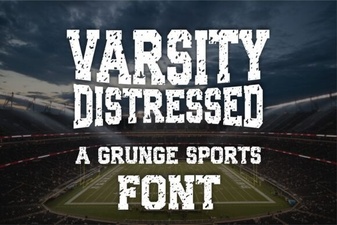 Varsity Font: Creative Design Projects & Ideas